LINE integration
Customers book right inside LINE
For businesses whose customers chat on LINE, booking happens right in the conversation. Customers start from your rich menu, choose a service and a time, and they're booked. Your LINE Official Account sends confirmations, reminders, and reschedule notices automatically. You set up the menu and notifications in the Dolyu dashboard.

01 Automatic rich menu deployment
Generate and deploy in one click
Choose a template in the Dolyu dashboard. Buttons come pre-linked to booking, My bookings, points, and more. Click “Deploy” and it syncs to your LINE Official Account. You design the menu in Dolyu.
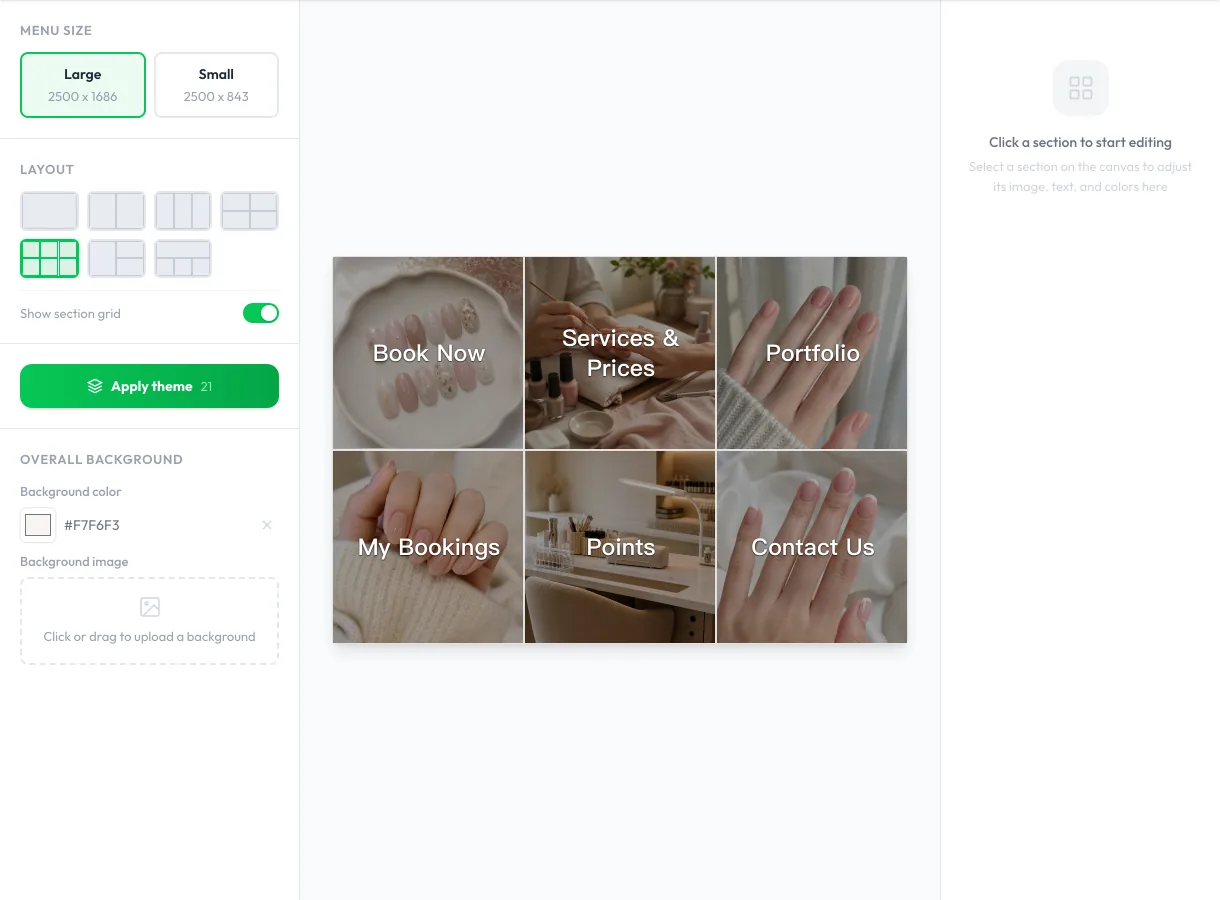
- Templates for large and small menus
- Auto-populated with your booking page link
- Deploy to your LINE Official Account in one click
- Edit anytime and redeploy
02 Automatic push notifications
Notifications sent automatically based on your settings
From booking confirmations to pre-visit reminders, key notifications go out automatically through your LINE Official Account. Customers can view details, reschedule, or cancel right from the notification.
- 01 Booking confirmation Sent immediately after booking
- 02 Appointment reminder 12–72 hours before, at a time you set
- 03 Final reminder Sent again 1–6 hours before arrival
- 04 Reschedule notice Sent when the time changes
- 05 Cancellation notice Sent when an appointment is canceled
- 06 Rebooking reminder Invites customers to book again after the days you set
03 LINE message quota monitoring
Track your LINE message quota
The dashboard shows this month’s total quota, messages used, and messages remaining. You get a heads-up at 70% and 90% usage, plus a month-end projection at the current pace, so you can adjust your plan or notification settings before running out.
04 FAQ
LINE integration FAQ
Dolyu doesn’t charge extra. LINE integration is included in the standard plan. Push messages use your Official Account’s message quota.
US$15 per member per month, billed monthly with no contract. Cancel anytime. Sign up for a 14-day free trial with all features included and no credit card required.
Dolyu offers a 14-day free trial with full access to LINE integration and every other feature, no credit card required. You can also explore the demo account and browse the interface without signing up.
After the trial, pricing is a flat monthly fee per member. There’s no free-forever plan.
Yes. Customers book right in the LINE chat: they choose a service, pick a staff member or let Dolyu assign one, choose a time, and confirm, right in the conversation. Some services send a link to finish on the booking page.
Customers can also open your branded booking page from the rich menu. Both options are available.
In the Dolyu dashboard, open the connection wizard under Settings → LINE. Paste three credentials from LINE Developers: Channel ID, Channel secret, and Channel access token. Dolyu sets up the webhook URL and tests the connection automatically. Finally, turn on “Use webhook” in LINE Official Account Manager. You can then deploy your rich menu and turn on notifications.
Yes, as long as the other system can forward the LINE events it receives. Add Dolyu’s webhook URL in the other system, then switch to relay mode under Settings → LINE in Dolyu, and both systems share the same Official Account. LINE chat booking works as usual, and Dolyu sends booking notifications directly.
Get started
Start your free trial of Dolyu’s LINE integration
Customers book on their own and notifications go out based on your settings, so you can get back to your work.
- US$15 per member per month, no per-feature fees
- 14-day free trial, no credit card required
- Billed monthly, no contract