Team scheduling
Staff follow their own hours and take their own bookings
Each team member sets their weekly hours and time off. Your booking page shows only the times when someone is working. Customers can choose a staff member or let Dolyu assign whoever's available. Online booking avoids double-booking the same staff member.
- Each member takes bookings on their own hours
- Individual schedules
- Pick a staff member or let Dolyu assign one
- Customer choice
- Online bookings avoid overlaps for the same person
- Avoids double-booking
- Each role sees only what it needs
- Role-based access
01 Schedule
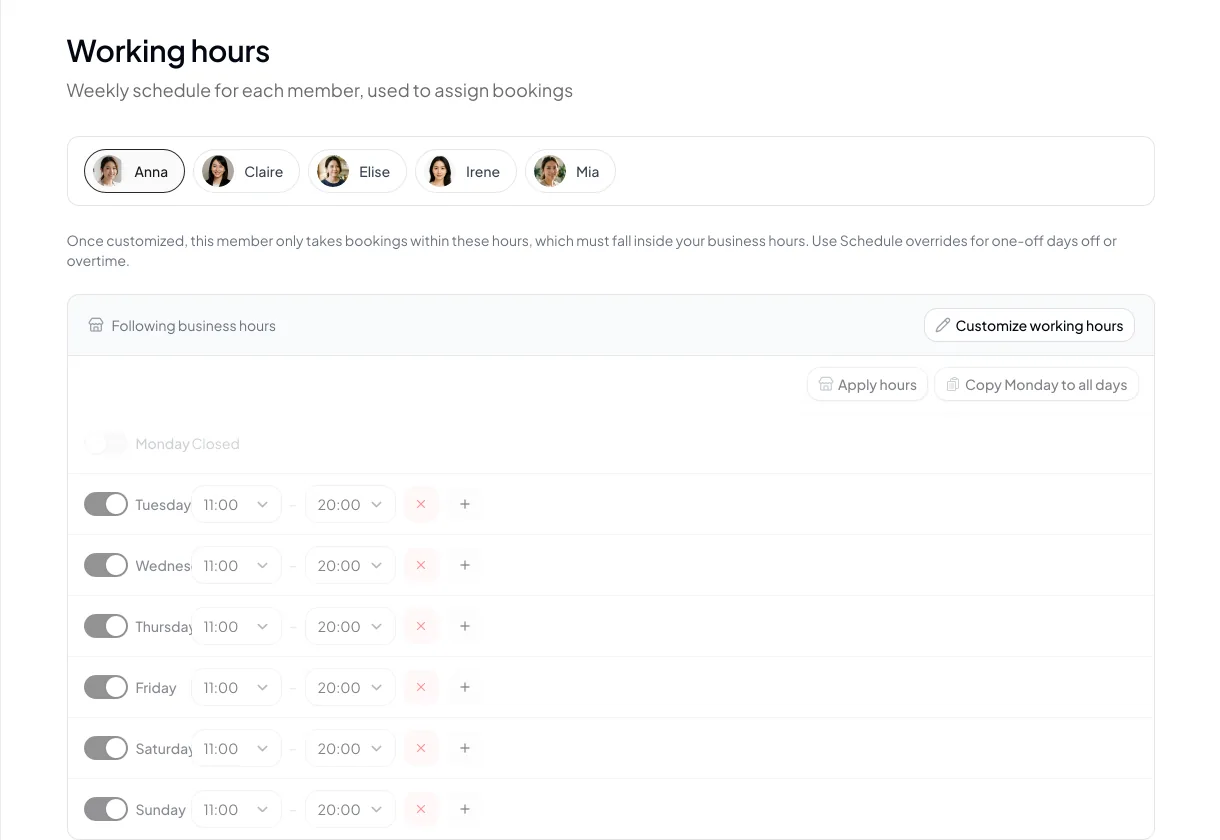
Weekly hours, plus single-day time off and shift changes
Members can follow your business hours or set their own hours for each day of the week, with multiple time blocks in a day. Set time off or adjusted hours for specific dates, or apply them in bulk across a date range.
- Follow business hours or set custom hours
- Multiple time blocks in a single day
- Single-day time off and hour adjustments
- Apply in bulk across a date range
02 Assigned staff
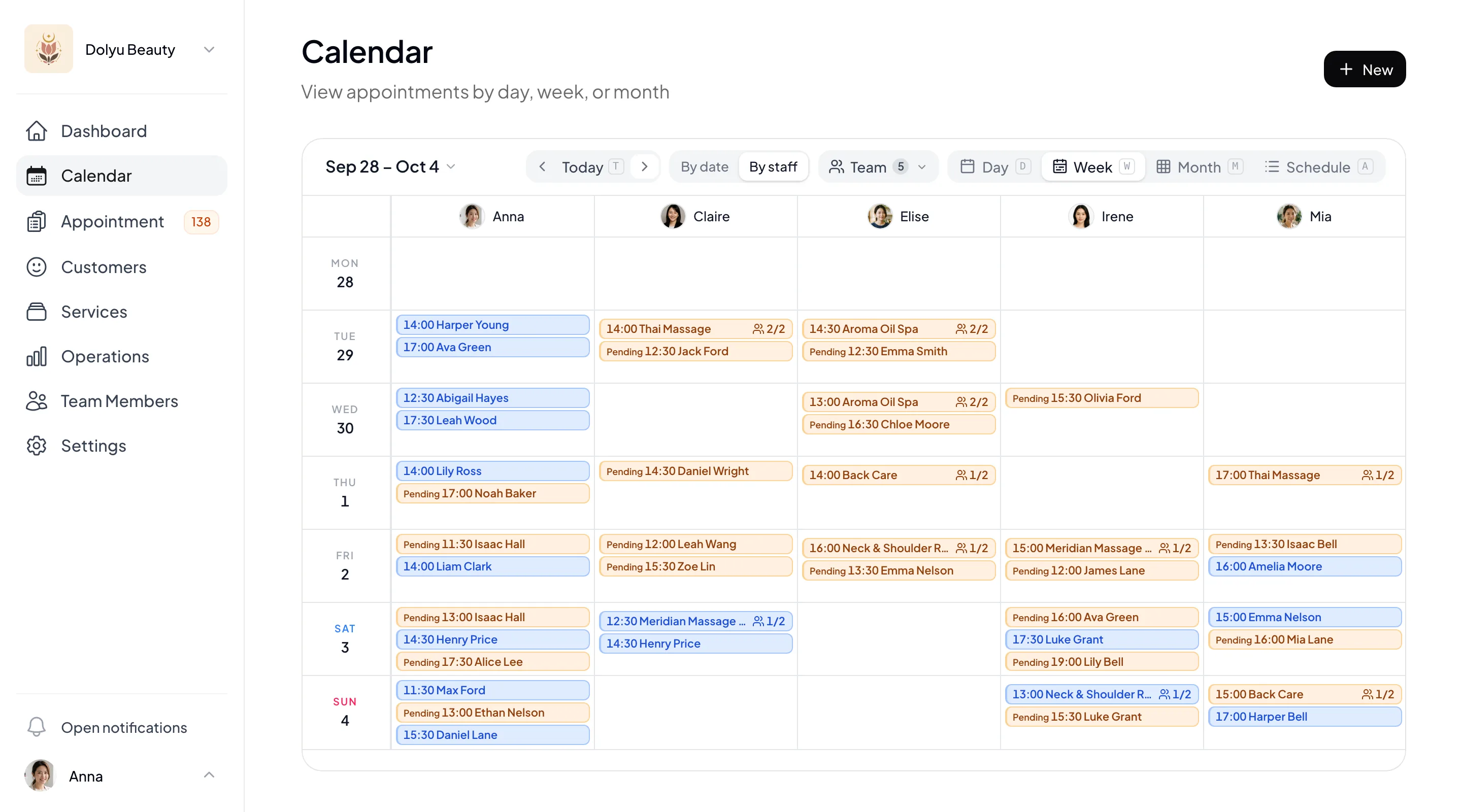
Customers choose a staff member, or let Dolyu assign one
Each member sets the services they can perform. Customers can choose a staff member or leave it to Dolyu. When a booking has multiple items, Dolyu first keeps them with the same staff member, then fills group classes that already have sign-ups, then picks whoever has fewer appointments that day.
- Each member has their own service list
- Customers can choose a staff member
- Dolyu assigns one when there's no preference
- Online booking avoids double-booking a staff member
03 Roles & reports
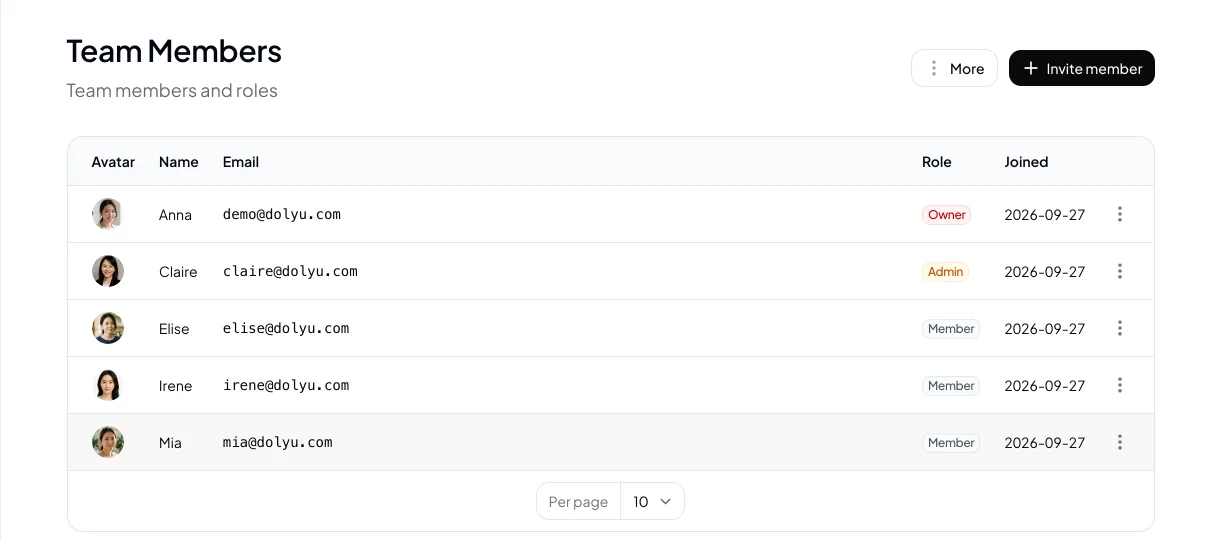
Three roles, each seeing what they need
The Owner and Admins manage appointments, customers, and reports for the whole business. Members see only their own schedule and hours. The staff performance report breaks results down by member, and members join by email invitation.
- Owner, Admin, Member
- Members see only their own schedule
- Staff performance report
- Invite members by email
04 At a glance
Key features,
all in one place
Ready from day one. Everything’s included in the plan, with no add-ons.
- Weekly hours
- Follow business hours or set your own, with split shifts on the same day.
- Schedule overrides
- Set single-day time off, extra hours, or adjusted hours, and apply them in bulk.
- Services
- Each member sets the services they offer.
- Assigned staff
- Customers pick a staff member, or let Dolyu assign one.
- Double-booking protection
- Online booking avoids double-booking the same staff member.
- Roles
- Owner, Admin, and Member, each seeing what they need.
- Invites
- Invite members to your team by email.
05 Industries
Industries where multi-person teams commonly use scheduling

Hair Salon
Each stylist has their own days off and specialties, and customers can book the stylist they know.

Massage
Therapists work morning or evening shifts, and bookings with no preference go to whoever is less busy that day.

Personal trainer
Each trainer sets their own session hours, and clients book their trainer directly.

Tutoring & Lessons
Teachers open bookings only for the hours they teach, and a last-minute day off closes that day.

Spa
A slot opens only when both a therapist and a room are free, so bookings stay within capacity.
06 FAQ
Scheduling & assigned staff
FAQ
Yes. You're billed for each team member in your business at US$15 per member per month, and the Owner counts as a seat too. Customers and resources don't count as seats.
Yes. Members can manage their own schedule, and the Owner and Admins can manage every member's schedule.
Set up rooms or beds as resources and assign them to a service. Dolyu checks both staff schedules and resource capacity, and closes the slot if either one is full.
Yes. Drag appointments on the dashboard calendar to reschedule. If the new time conflicts, you're asked to confirm first.
Yes. Add multiple time blocks to the same day in working hours, such as 10:00–13:00 and 15:00–20:00. The booking page opens only those times.
It keeps a booking's items with the same staff member first, then fills group classes that already have sign-ups, then picks the staff member with fewer appointments that day.
Resources
Explore more
- Online consent forms Signed online at booking, with version and signature records
- Booking forms Customers fill in the details you need when they book
- Appointment reminders & no-show management Two reminders, cancellation deadlines, and automatic blocking for no-shows
- Customer records & points Customer profiles, notes with photos, tags, and points
- LINE integration One-click rich menu deployment and a range of automated notifications
- Pricing & plans US$15 per member per month, all features, billed monthly, no contract
Get started
Start your free trial of Dolyu's team scheduling
Customers book on their own and notifications go out based on your settings, so you can get back to your work.
- US$15 per member per month, no per-feature fees
- 14-day free trial, no credit card required
- Billed monthly, no contract