Booking forms
What you need to know, collected at booking
Turn the questions you ask before an appointment into a form. Customers fill it in at the last step of booking, and the answers stay with that appointment. They appear in appointment details, exports, and new appointment notifications.
- Ready-made templates by industry
- Start from a template
- Follow up only when someone answers “Yes”
- Show based on answers
- Signed-in customers reuse previous answers
- Auto-filled on return visits
- Do a test run at phone size
- Preview before saving
01 Build
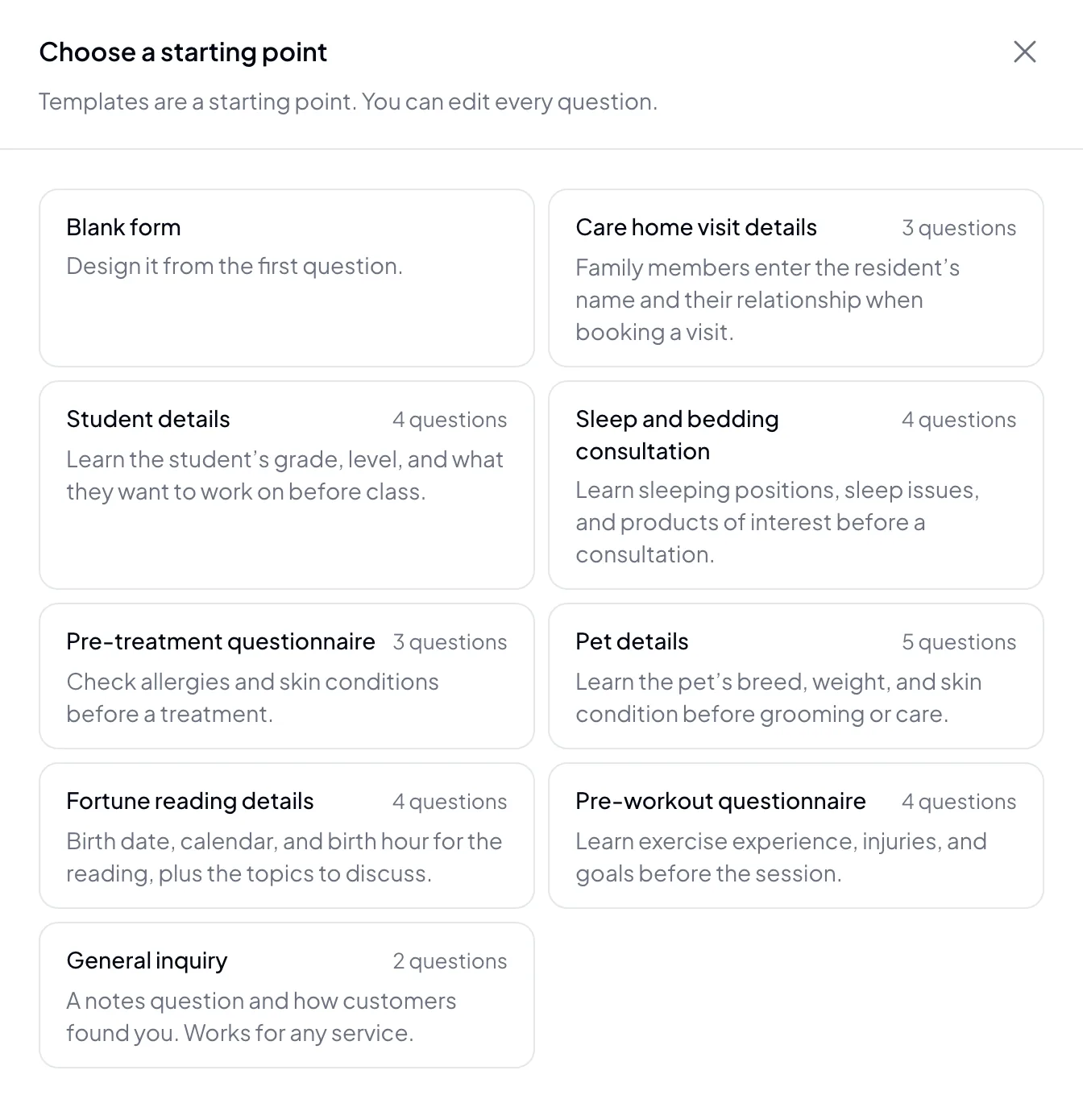
Start from a template, adjust every question
Start from an industry template or a blank form, then set each question’s type, whether it’s required, and which services it applies to. Before you save, preview it at phone size and do a test run. You see exactly what customers see.
- Short answer, paragraph, multiple choice, checkboxes, dropdown, date, number
- All services or specific services
- Preview at phone size before saving
- Ask for a phone number when you need it
02 Answering
Ask only what applies
Customers fill in the form at the last step of booking. Earlier answers decide which questions appear next. For example, ask for details only when someone answers “Yes”. Signed-in returning customers see their previous answers filled in and confirm them to submit. Questions that change every visit can be set to start blank.
- Questions shown based on earlier answers
- Previous answers filled in for returning customers
- Turn auto-fill on or off per question
- Required questions must be answered to submit
03 View answers
Answers stay with each appointment
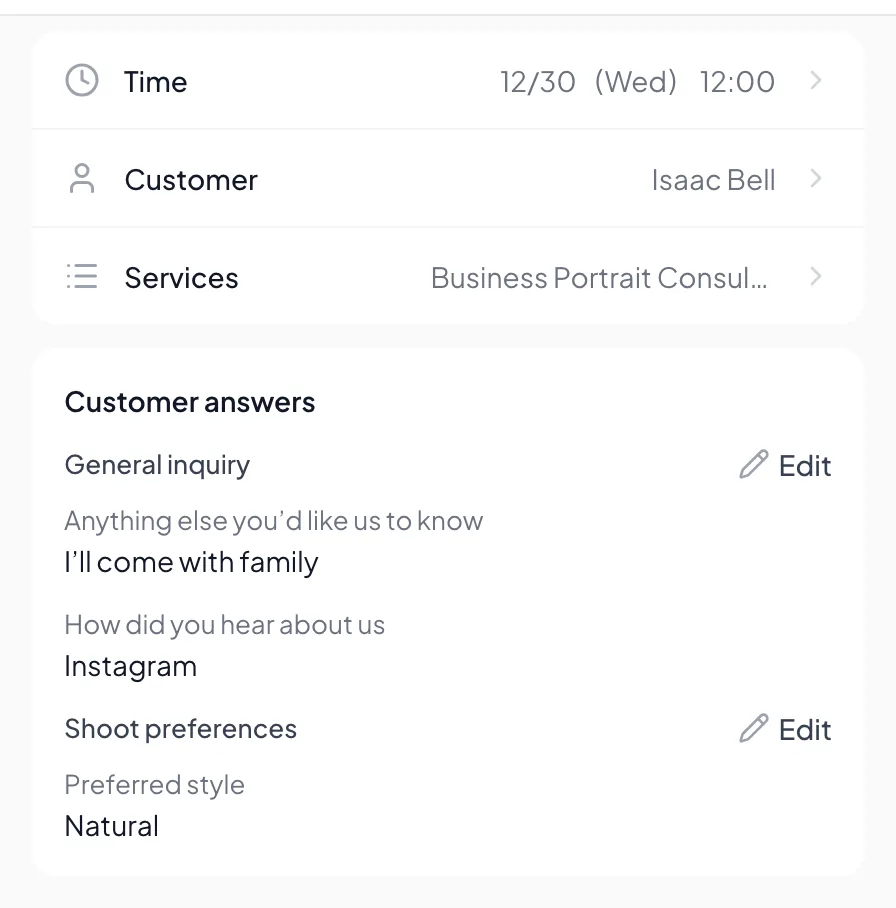
Each set of answers lives in its appointment: view, add, or edit them in appointment details. They also appear in appointment exports and new appointment notifications. Editing a form creates a new version, and earlier answers show with the questions as they were.
- View and edit in appointment details
- Exports and new appointment notifications
- Shown with the version they were answered on
- Apply to all or specific services
04 At a glance
Key features,
all in one place
Ready from day one. Everything’s included in the plan, with no add-ons.
- Question types
- Short answer, paragraph, multiple choice, checkboxes, dropdown, date, and number.
- Show based on answers
- Show a question only when an earlier answer matches.
- Return-visit auto-fill
- Signed-in customers see their previous answers when they book again. Set it per question.
- Services
- Apply to all services, or only the ones that need it.
- Preview
- Try the form at phone size before saving, exactly as customers see it.
- Viewing and exports
- Appointment details, appointment exports, and new appointment notifications. Customers can also see their answers in “My bookings”.
05 Industries
Industries that commonly use booking forms

Tutoring & Lessons
Grade, level, and what to work on, collected before you plan the lesson.

Nail Salon
Customers note the design they want and whether they need a gel removal, so you can prepare before they arrive.

Massage
Focus areas and pressure preference at booking, with previous answers filled in for returning customers.

Personal trainer
Students share their exercise experience and goals for this session, so you can plan the training ahead.

Photography
Customers share what the photos are for and the style they want, so you can align before the shoot.

Pet Grooming
Owners enter the pet’s name, breed, and weight, with follow-up questions only when there’s a skin condition.
06 FAQ
Booking forms
FAQ
At the last step on the booking page, along with their contact details. Customers don’t need to download an app.
No. When signed-in customers book again, their previous answers are filled in, and they confirm or edit them before submitting. Questions that change every visit can be set to start blank.
Yes. Each form can apply to all services, or only the ones you choose.
Editing creates a new version. Earlier answers show with the questions as they were when the customer answered, and remain viewable.
In appointment details, appointment exports, and the new appointment notification you receive. Signed-in customers can also see their own answers in “My bookings” on the booking page.
Booking forms collect the information you need for a booking. Online consent forms are documents customers read and sign. You can use both together.
Resources
Explore more
- Online consent forms Signed online at booking, with version and signature records
- Appointment reminders & no-show management Two reminders, cancellation deadlines, and automatic blocking for no-shows
- Customer records & points Customer profiles, notes with photos, tags, and points
- Scheduling & staff selection Weekly hours, time off, shift changes, and automatic staff assignment
- LINE integration One-click rich menu deployment and a range of automated notifications
- Pricing & plans US$15 per member per month, all features, billed monthly, no contract
Get started
Try Dolyu booking forms for free
Customers book on their own and notifications go out based on your settings, so you can get back to your work.
- US$15 per member per month, no per-feature fees
- 14-day free trial, no credit card required
- Billed monthly, no contract